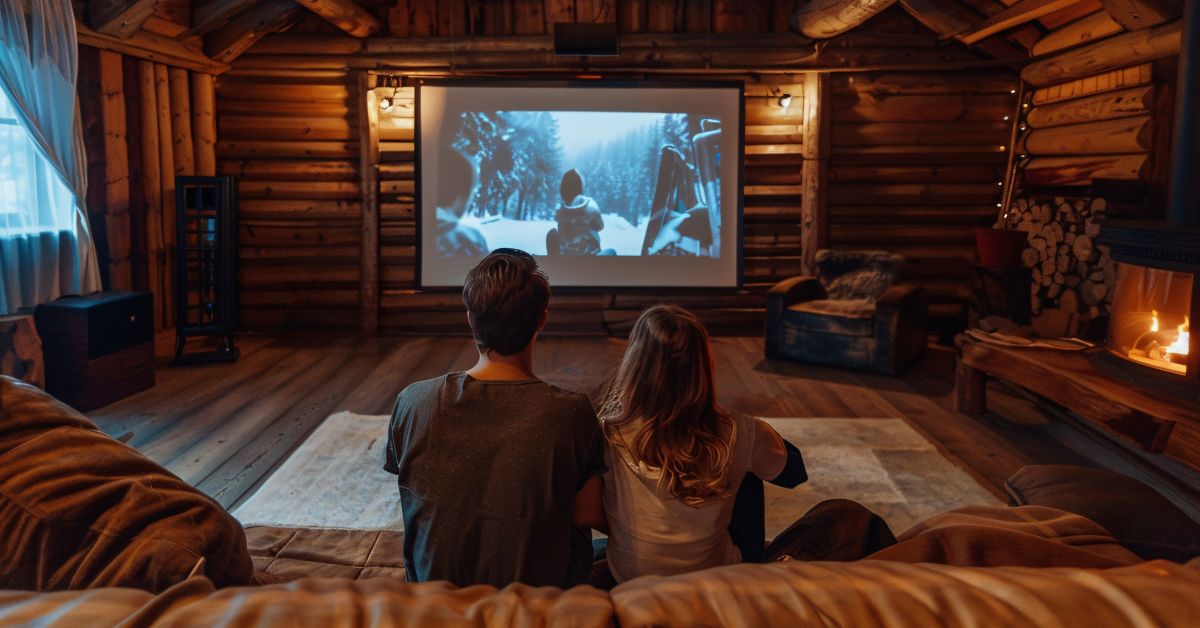
A home theater transforms your living space into a cinema-like experience. While the setup may seem complex, breaking it down into simple steps makes it easier to understand and implement. Here’s a detailed, beginner-friendly guide to creating a professional home theater that your family will enjoy for years.
1) Choose the Right Location
Selecting the right space is essential for creating an immersive experience. The room’s layout, size, and lighting all play important roles in how your home theater will perform.
- Room Size: Aim for a rectangular room; it minimizes sound distortion.
- Lighting: Choose a space with minimal natural light. Basements or rooms without windows work best.
- Noise Isolation: Rooms away from high-traffic areas reduce disturbances.
Tip: Avoid oddly shaped rooms, as sound can bounce unevenly, affecting audio quality.
2) Plan Your Space
When planning your home theater setup, take note of the existing elements in the room. Pay attention to doorways, electrical outlets, and any obstacles that could affect speaker placement or seating arrangement. The goal is to create a functional layout that maximizes comfort, audio performance, and viewing experience.
- Doorways & Walkways: Ensure seating and equipment don’t block access.
- Electrical Outlets: Position equipment near outlets for easy connections.
- Obstacles: Be mindful of furniture or architectural features that could obstruct the sound or viewing angles.
3) Setup Soundproofing System
Soundproofing improves the audio experience inside the room while preventing noise from disturbing others. It also enhances the clarity of dialogue and sound effects.
- Acoustic Panels: Place on walls to absorb sound waves and reduce echo. Foam or fabric-wrapped panels are effective and affordable.
- Carpeting: Thick carpets or rugs absorb sound, reducing echoes and noise reflection.
- Soundproof Curtains: Heavy, dense curtains block external noise and keep sound inside.
- Door Seals: Install weatherstripping or soundproof door kits to prevent sound from leaking.
- Wall Insulation: Add acoustic insulation inside walls for maximum sound containment.
Tip: You should setup the soundproofing before setup your sound system.
Why?
- Prevents Redoing Work: Soundproofing involves installing panels, insulation, and sometimes modifying walls or doors. Doing this after setting up your sound system could damage or misplace your speakers.
- Better Sound Calibration: Soundproofing improves room acoustics by reducing echo and external noise. This creates a stable environment, making it easier to calibrate your surround sound accurately.
- Protects Your Investment: Without soundproofing, your powerful sound system might disturb neighbors or family members in other rooms. Proper insulation ensures you can enjoy high volume without complaints.
4) Select the Perfect Display
The display is the centerpiece of your home theater. Choosing the right one depends on your room size, viewing distance, and budget.
- 4K Ultra HD TVs: Perfect for smaller rooms. Look for HDR (High Dynamic Range) support for vivid colors.
- Projectors: Ideal for larger spaces. Consider a 4K projector with at least 3,000 lumens for brightness.
- Projection Screens: Invest in a high-gain screen to enhance brightness and contrast.
Tip: A projector needs a darker room to deliver the best image quality.
5) Build a Surround Sound System
Sound quality can make or break your home theater experience. A surround sound system creates an immersive environment that draws you into the action.
- 5.1 or 7.1 Surround Sound:
- 5.1 refer five speakers and a subwoofer (front, center, two rear).
- 7 refers to seven main speakers: the same five as in 5.1, but with two additional rear speakers, providing an even fuller surround sound effect. 1 still refers to the subwoofer.
- This system provides an even richer, more detailed sound experience, especially for larger rooms or for those who want a more immersive atmosphere.
- Soundbar: A simpler alternative that combines multiple speakers in one unit. Some include a wireless subwoofer.
Speaker Placement Guide: - Center Speaker: Place below or above the screen.
- Front Speakers: Position at ear level, angled toward the seating area.
- Rear Speakers: Place behind the seating, at ear level or slightly above.
Tip: Many systems come with auto-calibration tools. Use them to balance sound based on your room’s layout.
6) Set Up Comfortable Seating
Comfort is key for long movie marathons. The right seating setup ensures everyone enjoys the best view and sound.
- Recliners: Offer adjustable backrests and footrests. Some have built-in cup holders.
- Sofas: Sectional sofas provide flexibility and accommodate more people.
- Home Theater Chairs: Designed for comfort and viewing angles, with armrests and USB ports.
Tip: Arrange seating to ensure everyone has a clear view of the screen. Consider tiered platforms for larger rooms.
7) Control the Lighting
Lighting plays a crucial role in creating a theater-like environment. It reduces glare and enhances immersion.
- Blackout Curtains: Eliminate external light for a true theater feel.
- Dimmable Lights: Install dimmable LEDs or smart bulbs to control brightness.
- Ambient Lighting: Use LED strips behind the screen for a soft glow. This reduces eye strain during dark scenes.
8) Set Up Media and Streaming Devices
Access to various media sources ensures a versatile home theater. Setting up reliable streaming devices and media players is essential.
- Streaming Devices: Use devices like Roku, Apple TV, or Amazon Fire Stick. They offer easy access to Netflix, Disney+, and more.
- Media Players: Blu-ray players provide the best picture and sound quality for physical media.
- Game Consoles: Add PlayStation or Xbox for gaming. Many also double as media players.
Tip: Ensure your Wi-Fi connection is strong. Consider using a wired Ethernet connection for the best streaming quality.
9) Add Finishing Touches
Personalizing your home theater adds to the overall enjoyment. Small details can transform a good setup into a great one.
- Snack Bar: Add a popcorn machine, mini-fridge, and candy station.
- Decor: Hang movie posters, framed artwork, or install movie-themed wall decals.
- Accessories: Include cozy blankets and cup holders for a complete experience.
10) Calibrate Your System
Proper calibration ensures you get the best performance from your audio and video equipment. This step fine-tunes your setup to match your room’s acoustics.
- Display Calibration: Adjust brightness, contrast, and color. Many TVs offer pre-set “Movie” or “Cinema” modes.
- Audio Calibration: Use built-in tools or a sound level meter to balance volume across all speakers.
Conclusion
Building a home theater may seem daunting, but with the right approach, it becomes an exciting project. By focusing on key elements like display quality, sound systems, and soundproofing, you can create an immersive experience that rivals commercial cinemas. Enjoy unforgettable family movie nights, all from the comfort of your home!
Related article: