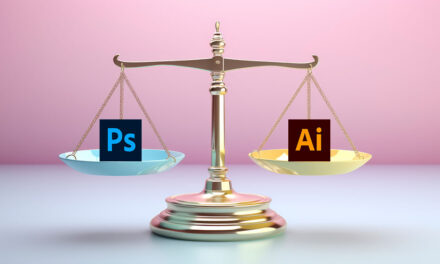
When deciding between Adobe Illustrator and Photoshop in 2024, it’s important to know their strengths and weaknesses. Both programs offer incredible tools, but they serve different purposes. Understanding what each one excels at will help you make the best choice for your design needs.
Key Strengths of Adobe Illustrator
Adobe Illustrator is designed for vector-based artwork, making it perfect for scalable designs like logos, icons, and detailed illustrations. Its vector capabilities mean that designs can be resized without losing quality, making it the go-to tool for projects that require precision and scalability.
- Scalability: Create sharp, crisp designs that can be resized indefinitely.
- Perfect for Print: Ideal for creating brochures, business cards, posters, and more.
- Advanced Typography Tools: Offers excellent control over text for branding projects.
However, Illustrator can be a bit complex for beginners, and working with large files requires a powerful computer due to its resource-demanding nature.
Key Strengths of Adobe Photoshop
Adobe Photoshop is the industry leader in raster-based editing, making it perfect for photo manipulation, digital painting, and web design. Its extensive range of tools, such as advanced brushes and layering, helps create stunning visual effects and detailed images.
- Powerful Photo Editing: Best tool for retouching, editing, and enhancing photos.
- Creative Flexibility: Excellent for digital painting and compositing with raster images.
- 3D Capabilities: Offers 3D editing tools for more advanced designs.
Though Photoshop excels at working with raster images, it’s less suitable for projects that require high scalability, such as logo design, where vector artwork is needed.
When to Use Illustrator vs Photoshop
Choosing the right software depends on the specific project:
Use Illustrator if your project involves:
- Creating logos or branding materials
- Designing graphics that need to be scalable
- Working on complex vector illustrations
Use Photoshop if your project involves:
- Editing or retouching photos
- Creating digital paintings or collages
- Designing social media graphics or web layouts
In many cases, designers use both tools for different stages of their projects. Illustrator handles the creation of scalable graphics, while Photoshop is used for image manipulation and fine-tuning details.
| Features | Adobe Illustrator | Adobe Photoshop |
| Best for | Vector graphics, logos, icons, illustrations | Photo editing, raster graphics, digital painting |
| Image quality | Maintains quality when scaling | Quality decreases when image size is changed |
| File formats | AI, EPS, SVG, PDF, and EPS, excellent for creating graphics for both print and web. | PSD, JPEG, PNG, GIF and TIFF, popular for web and photography. |
| 3D Capabilities | Limited 3D capabilities | Robust 3D editing and manipulation tools |
| Typography Tools | Advanced text manipulation and formatting, perfect for typographic design. | Basic text tools, better suited for adding simple text to images or designs. |
| Brushes | Fewer brushes and less customization | Wide variety with extensive customization options |
| Photo Editing | Basic photo editing tools, mainly used for vector-based designs. | Industry-standard for professional photo manipulation and advanced retouching. |
| Scalability | Perfect for scalable designs | Limited scalability due to pixelation |
| Hardware Requirements | Requires decent processing power for complex vector art and large designs. | Resource-intensive when working with large images or high-resolution editing. |
Conclusion
In 2024, both Adobe Illustrator and Photoshop continue to dominate the creative industry, each excelling in their respective fields. Illustrator is best for vector-based design and scalability, while Photoshop leads in photo editing and raster-based artwork. By understanding the strengths and specific use cases for each, you can select the right tool for your creative workflow.