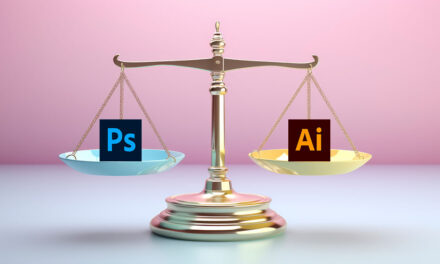
When choosing a drawing program, Adobe Photoshop and Adobe Illustrator often come to mind. Both are powerful tools, but they cater to different needs and preferences. Understanding their distinct features can help you decide which is better for your artistic endeavors.
What is Photoshop?
Photoshop is a versatile software known primarily for photo editing but also excels in graphic design and digital drawing. Its comprehensive toolset allows artists to create detailed and intricate designs. Here’s a closer look at what Photoshop offers:
- Versatility: Ideal for photo manipulation, graphic design, and drawing.
- Tools: Extensive range of brushes and customization options.
- Integration: Excellent for combining drawings with photographic elements.
- Detail: Great for detailed and intricate designs.
Photoshop’s strength lies in its flexibility, enabling artists to blend and refine their creations with precision. The wide array of brushes and tools makes it suitable for various types of artistic projects, from simple sketches to complex designs.
What is Illustrator?
Illustrator is a vector-based graphics program specifically designed for creating scalable artwork. It is perfect for projects that require precision and high-quality graphics. Here’s what makes Illustrator stand out:
- Vector-Based: Ideal for scalable, high-quality drawings.
- Precision: Provides tools for detailed and original artwork.
- Scalability: Allows resizing without losing quality, making it perfect for logos and illustrations.
- Specialization: Focuses primarily on drawing and vector graphics.
Illustrator’s vector-based system allows for unlimited scalability without compromising image quality. This is particularly beneficial for graphic design tasks like logo creation and high-quality illustrations that need to maintain their clarity at any size.
Drawing Capabilities
Both Photoshop and Illustrator offer robust drawing functionalities, but their approaches differ:
Photoshop:
- Drawing Tools: Wide range of brushes and effects.
- Integration: Effective for blending drawings with photos.
- Versatility: Suitable for both photo editing and custom creations.
Illustrator:
- Drawing Tools: Specialized tools for creating vector artwork.
- Adjustments: Easy resizing and color adjustments.
- Quality: Ideal for creating clean, scalable graphics.
Photoshop’s drawing capabilities are well-suited for detailed work that integrates with photo editing, while Illustrator excels in creating precise and scalable vector artwork.
Brushes
Both programs offer extensive brush libraries, which are essential for creating custom artwork:
- Photoshop: Provides a variety of brushes and textures for different effects. Brushes can be customized and downloaded.
- Illustrator: Also offers a range of brushes designed for vector drawing. Brushes can be adjusted and customized to fit artistic needs.
Brushes in both Photoshop and Illustrator allow for creative freedom and customization, making them versatile tools for any artist.
The Power of Vectors
Illustrator’s use of vectors is a significant advantage for many graphic design projects:
- Scalability: Vectors maintain clarity and quality regardless of size.
- Flexibility: Easy to manipulate and adjust without losing image integrity.
- Application: Perfect for logos, banners, and other designs requiring scalability.
Vectors in Illustrator ensure that your artwork retains its quality across various sizes and formats, which is crucial for professional graphic design.
Mobile Experience
The mobile functionality of each program varies:
- Illustrator: Offers a fully functional app for iOS, compatible with the Apple Pencil. Ideal for drawing on the go.
- Photoshop: Mobile version available, but lacks the full range of desktop features. Adobe is working on enhancing this experience.
Illustrator’s mobile app provides a robust drawing experience, while Photoshop’s mobile version is still evolving.
Strengths and Use Cases
Choosing between Illustrator and Photoshop depends on your specific needs:
- Illustrator: Best for scalable, high-quality illustrations and graphic design. Ideal for projects like logos and detailed vector artwork.
- Photoshop: Best for versatile drawing, photo editing, and integrating graphics with photographs.
Conclusion
Both Adobe Illustrator and Photoshop are powerful tools, each excelling in different areas. Illustrator is ideal for creating scalable, precise illustrations, while Photoshop offers flexibility and integration for various artistic and editing tasks. Your choice will depend on your specific needs and preferences for drawing.
Click here to read related article: Which Is Better for Logo Design: Illustrator vs. Photoshop.